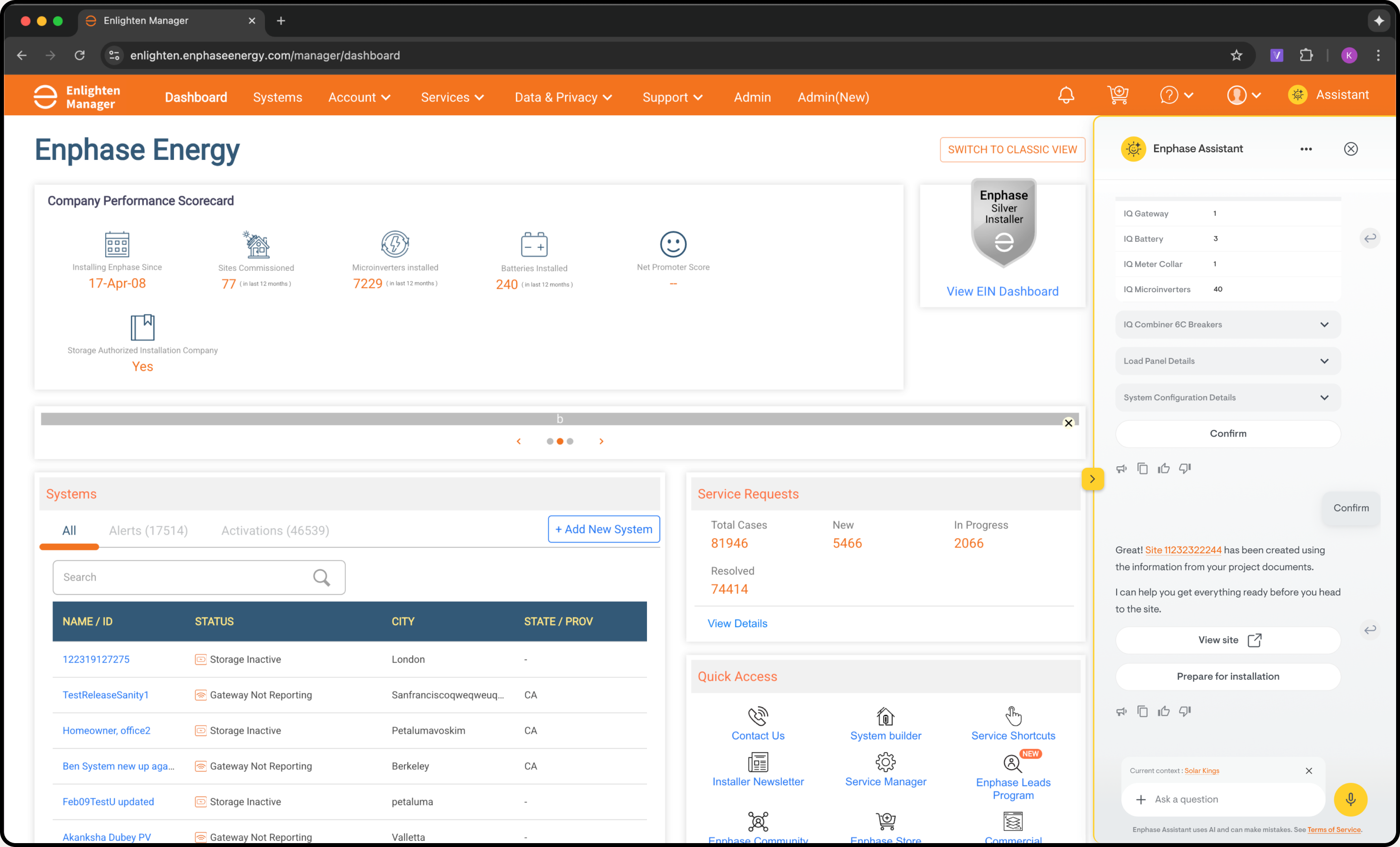
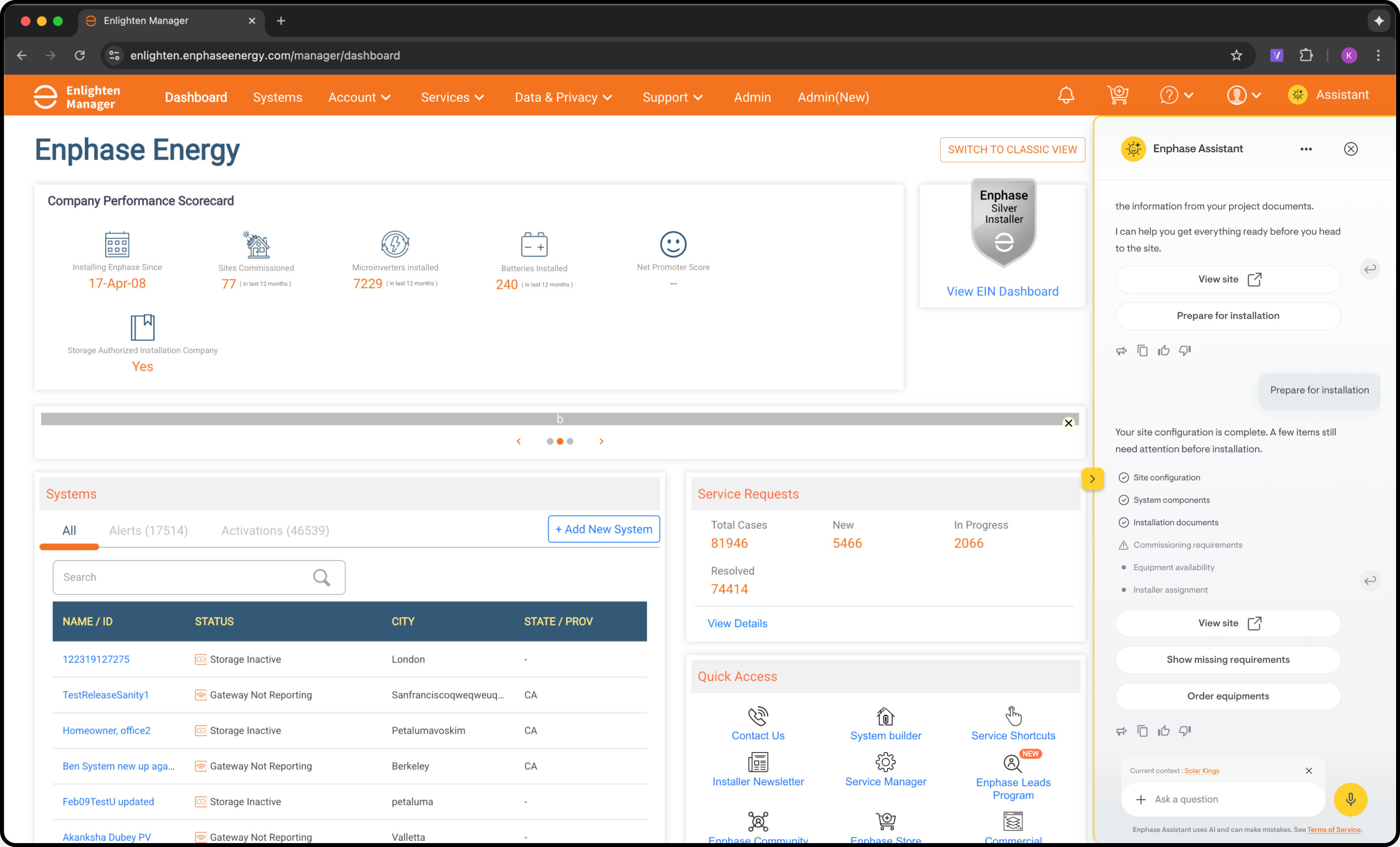
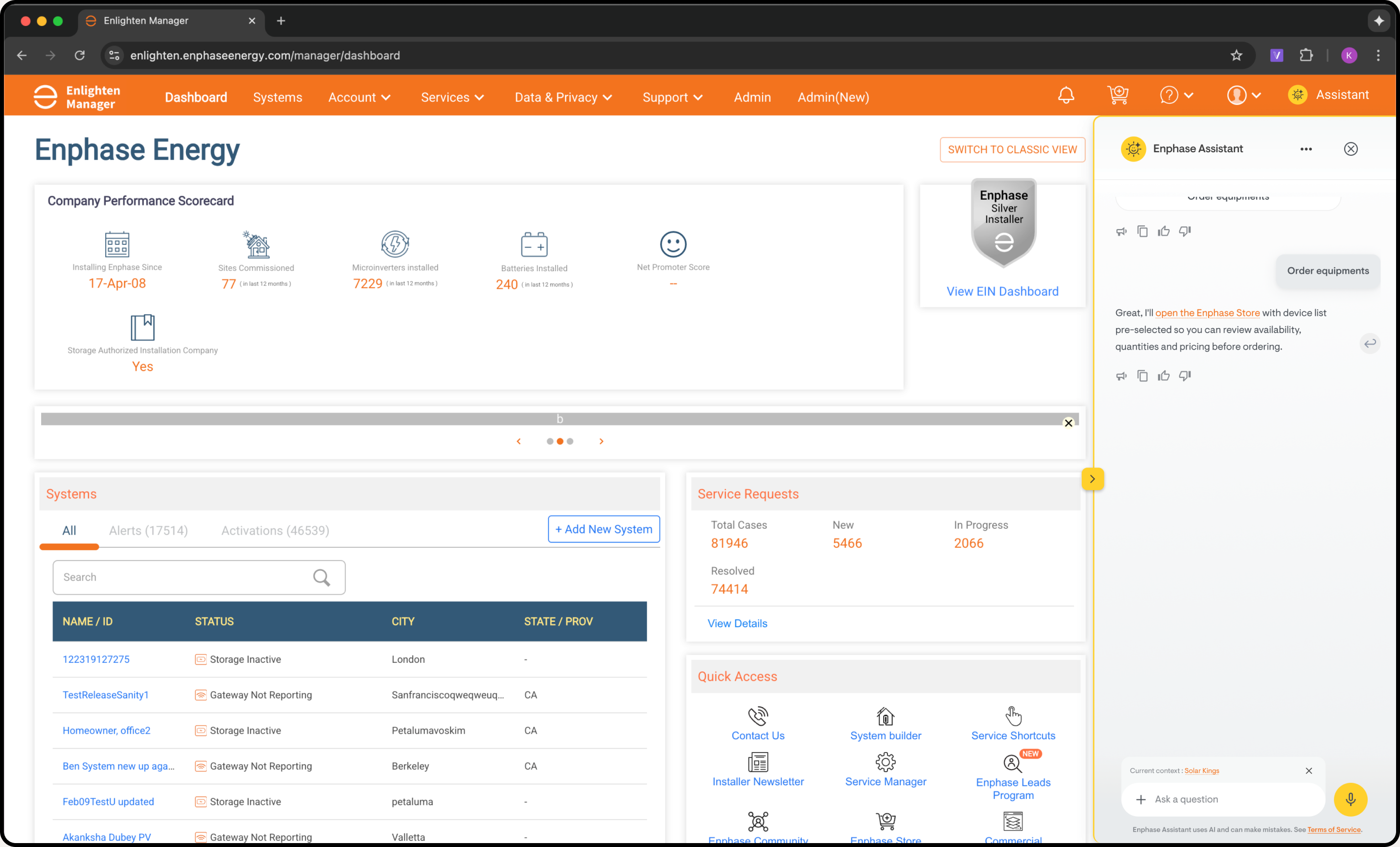
Designing an AI-native experience that assists installers before, during and after system installation.
Enphase Energy is a global energy technology company that designs and manufactures solar microinverters, battery storage, and EV chargers for residential and commercial markets, and primarily works in B2B2C model.
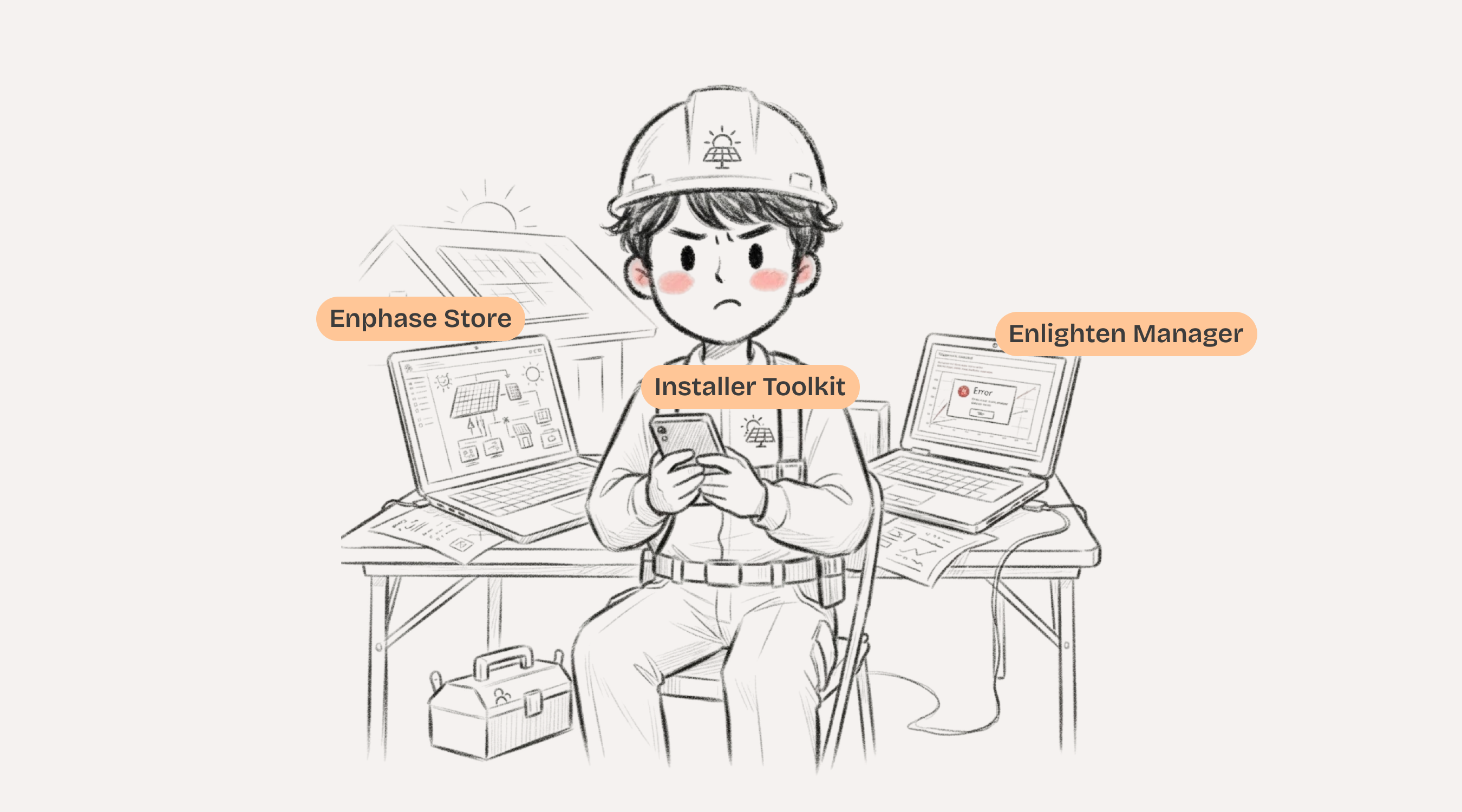
Enphase provides multiple products for installers. Although each product solves a different part of the installer's job, they operate independently. Installers constantly switch between applications, repeat context, search documentation, and manually connect information across systems.
The Enphase Installer Ecosystem
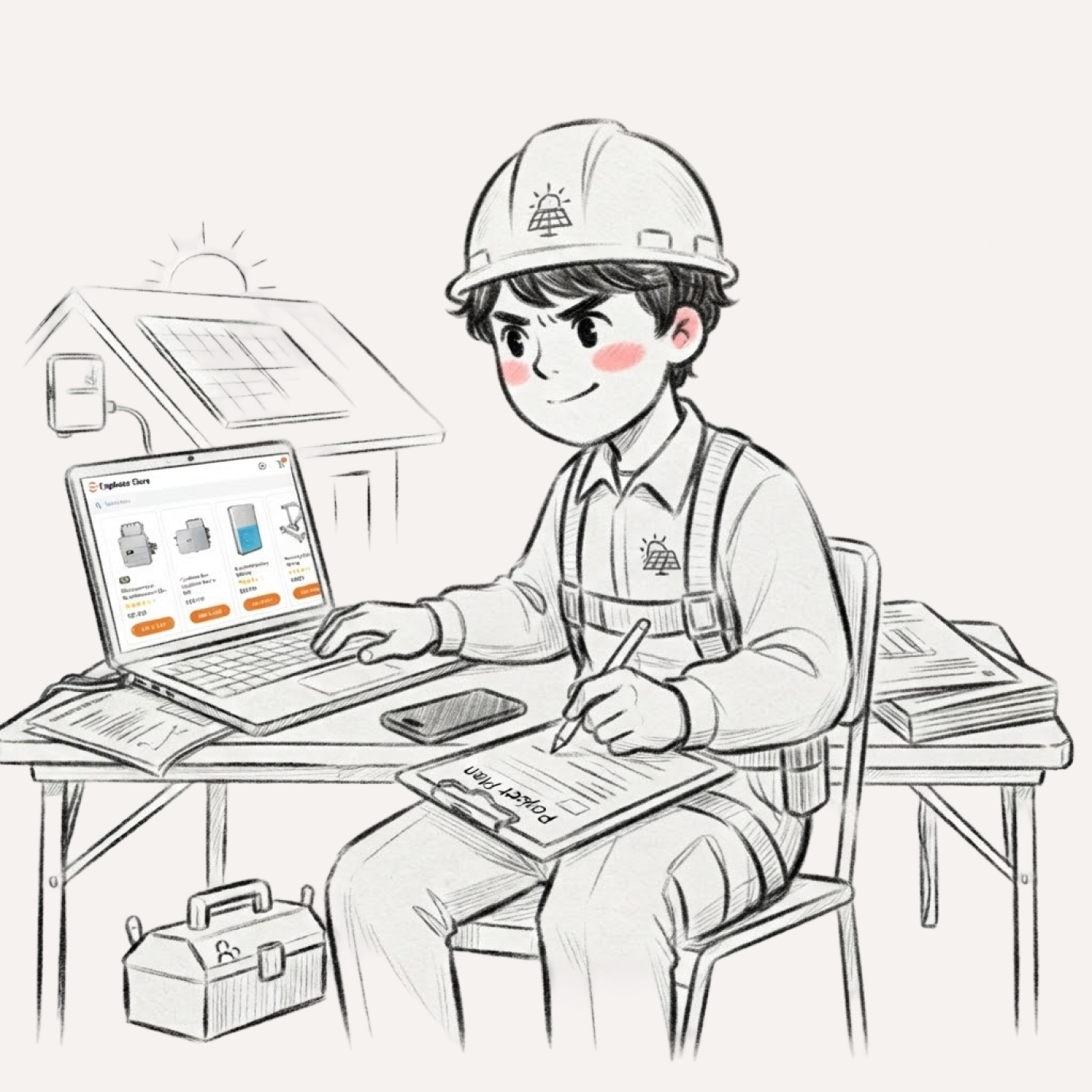
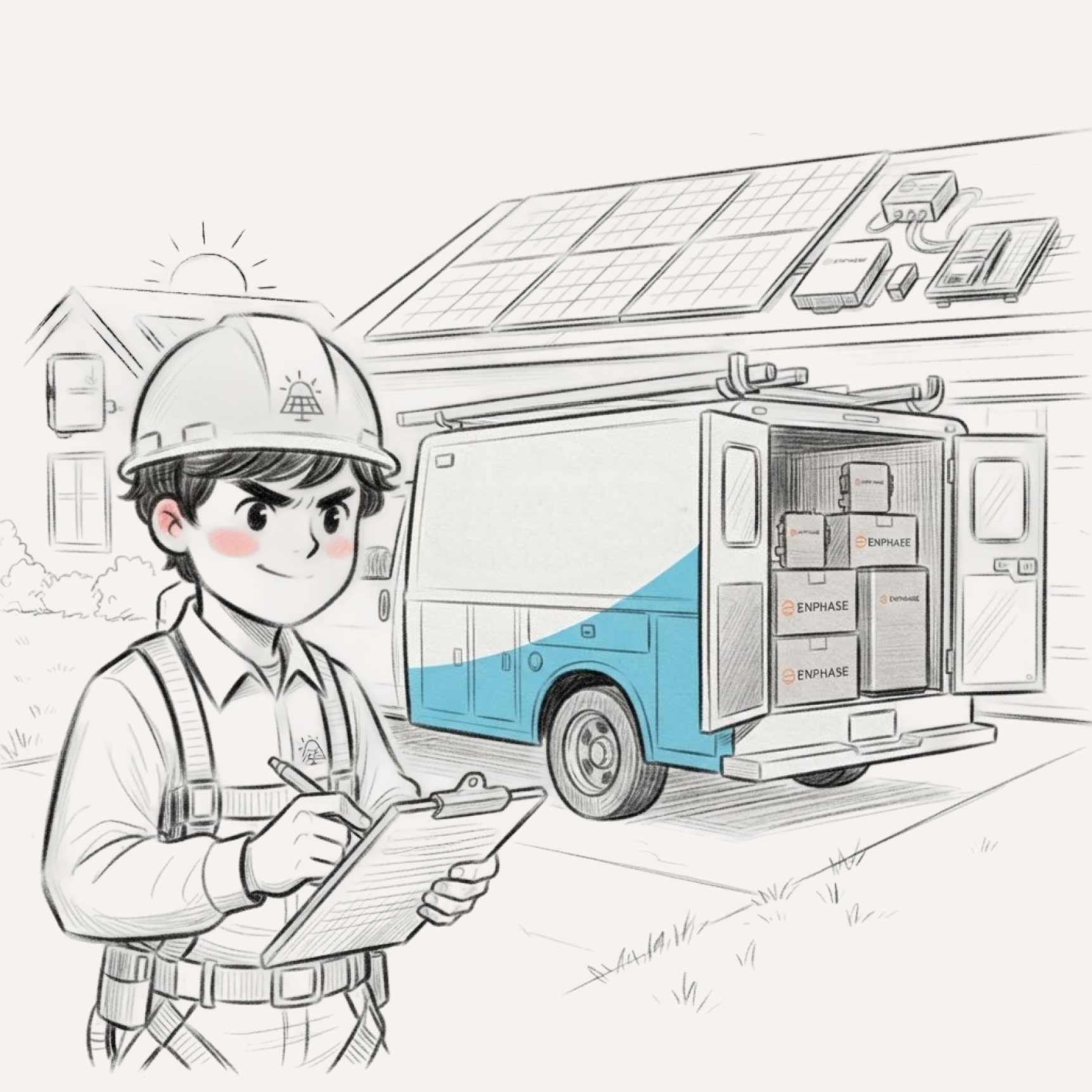
Alex owns a small solar installation business. Today he has to:
The fragmented journey Alex experiences every day isn't a personal frustration. It's a systemic pattern. Installers across the network are losing hours to repetitive manual steps, context-switching between tools, and calling support for answers that should be at their fingertips.
43,665
support calls per year, each one an installer losing time on-site
45 min
avg. time an installer spends per support call, time taken away from the job site
20 min
spent on manual barcode scanning per job, a step that could be done in seconds with bulk scan
70%
of calls fall into just 15 issue types: repetitive, predictable, automatable (Device not reporting, network issues, issues with device replacement)
3+ apps
switched between for a single installation: ENLM, Store, ITK, docs, browser
But it's not just the numbers; the experience itself is broken.
Legacy architecture
Enlighten Manager was built over a decade ago. Page loads take 8-12 seconds. Every click feels like a wait.
Fragmented information
Device specs live in PDFs. Training lives in a separate portal. Support history lives in email threads.
Redundant tasks & manual data entry
Installers re-enter the same site details across multiple systems. Serial numbers are typed manually. Reports require copy-pasting from dashboards, scanning 100+ barcodes for a single commissioning.
These aren't just usability issues; they're the reason installers call support instead of solving problems themselves.
How might we design an AI-native installer experience that understands what installers are trying to accomplish and assists them seamlessly across products?
Every morning, Alex opens Enlighten Manager and is greeted by a wall of widgets, tables, alerts, reports, and nested menus. There is no prioritization. Every alert looks equally urgent. He spends the first 30 minutes just figuring out what actually needs his attention.
When Alex spots a faulty device or needs an RMA replacement, the real pain begins.
The Fragmented Journey
Enlighten Manager
Spots faulty device
Enphase Store
Searches replacement
Documentation
Checks compatibility
Purchase & Delivery
Orders, waits
Installer Toolkit
Retire + commission
Support Call
If issues arise
Every arrow is a context switch. Every transition loses state.
70%
of installer support issues fall into just 15 recurring categories
PLC/connectivity failures (18%) · Inverter not reporting (14%) · Meter configuration errors (11%) · Gateway offline (9%) · Battery commissioning faults (8%)
45 min
average time an installer loses per support call
15 min average hold time waiting for CS agent · 12 min describing setup because CS has no site context · 10 min on tunneling & remote diagnostics · 8 min re-explaining issue after agent transfer
3-5x
context switches between apps during a single installation
ITK to ENLM to check site status · ENLM to Store to order replacement parts · ITK to YouTube/docs for wiring guides · ITK to email/phone to contact support · ENLM to spreadsheets to log fleet issues
38%
of commissioning sub-steps involve repeated manual entry that AI can automate
Serial number entry (typed from barcode labels) / individual device scanning · Site address & customer info (re-entered from proposal) · Panel layout configuration (copied from SLD) · Inverter-to-panel mapping (manual assignment) · Permit & inspection data (duplicated across systems)
20 min
spent manually scanning barcodes per job, time away from actual installation work
Average 24 microinverters scanned per job · Barcodes often damaged or hard to read on-site · Mis-scans require full re-entry, no batch correction · No offline scan queue, lost data if connectivity drops
15-20 min
spent scanning barcodes one at a time per job
16-44 microinverters scanned individually · QR sheets already exist but app only supports single scan · Damaged barcodes require full re-entry
Bulk QR Scan
camera captures entire QR sheet, AI registers all barcodes at once
Handles partial reads with targeted retry · Offline queue syncs when connectivity returns · Saves 15-20 min per job
3.2%
of all support calls are installers stuck at wiring verification
Installers wait for senior tech or call support to verify connections · Verification is visual, a pattern AI can learn · Callbacks delay job completion by hours
AI Wiring Check
computer vision analyzes wiring photos in real time
Pass/fail with specific error callouts and fix guidance · Installer resolves on-site before leaving · Eliminates 3.2% of support calls
Dense documentation
email, browser, PDFs
Installers pause commissioning to search for SLDs, system design docs, device specs · Context lost switching to email/browser/PDF readers · No in-app document access
Doc Auto-Detect
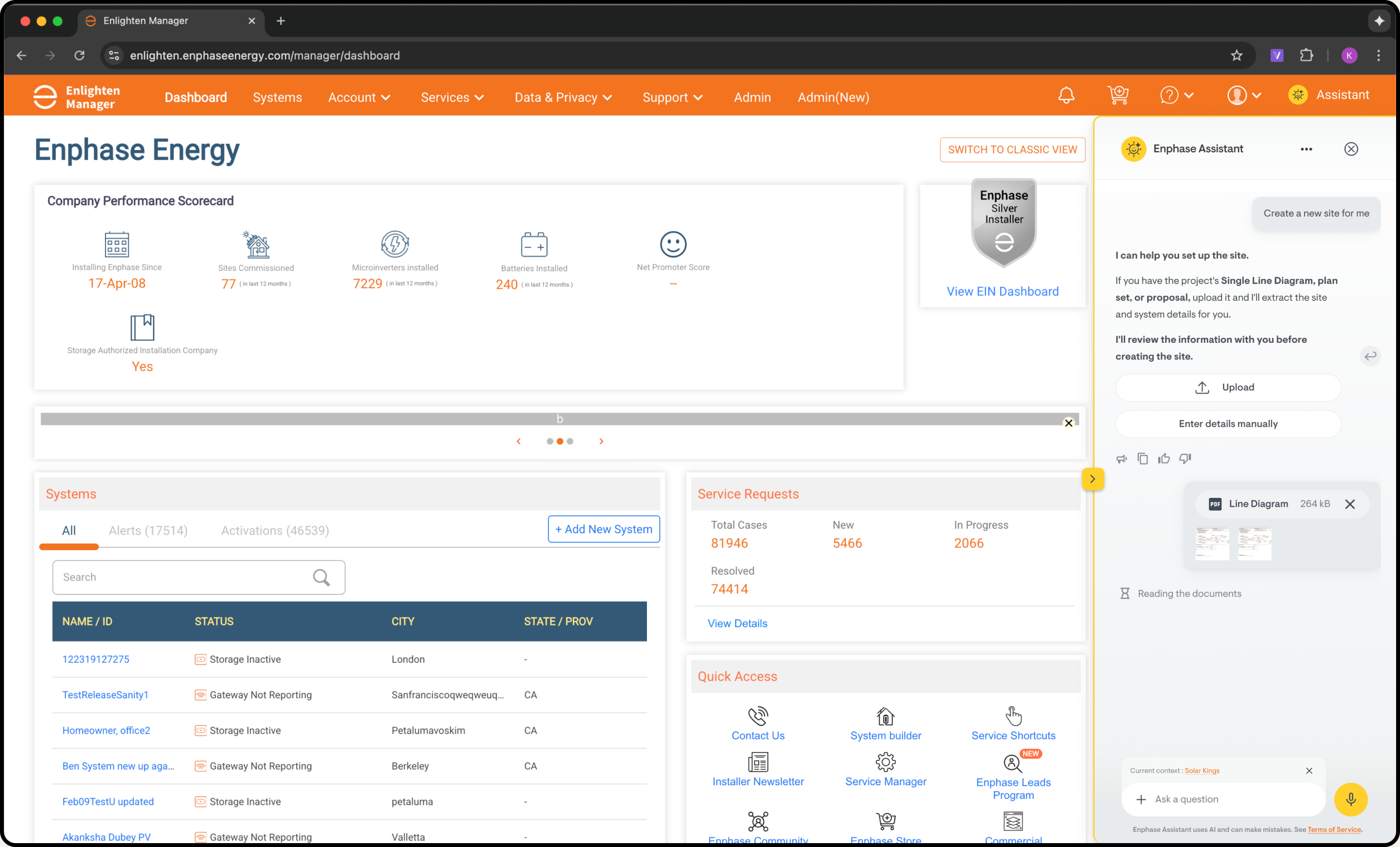
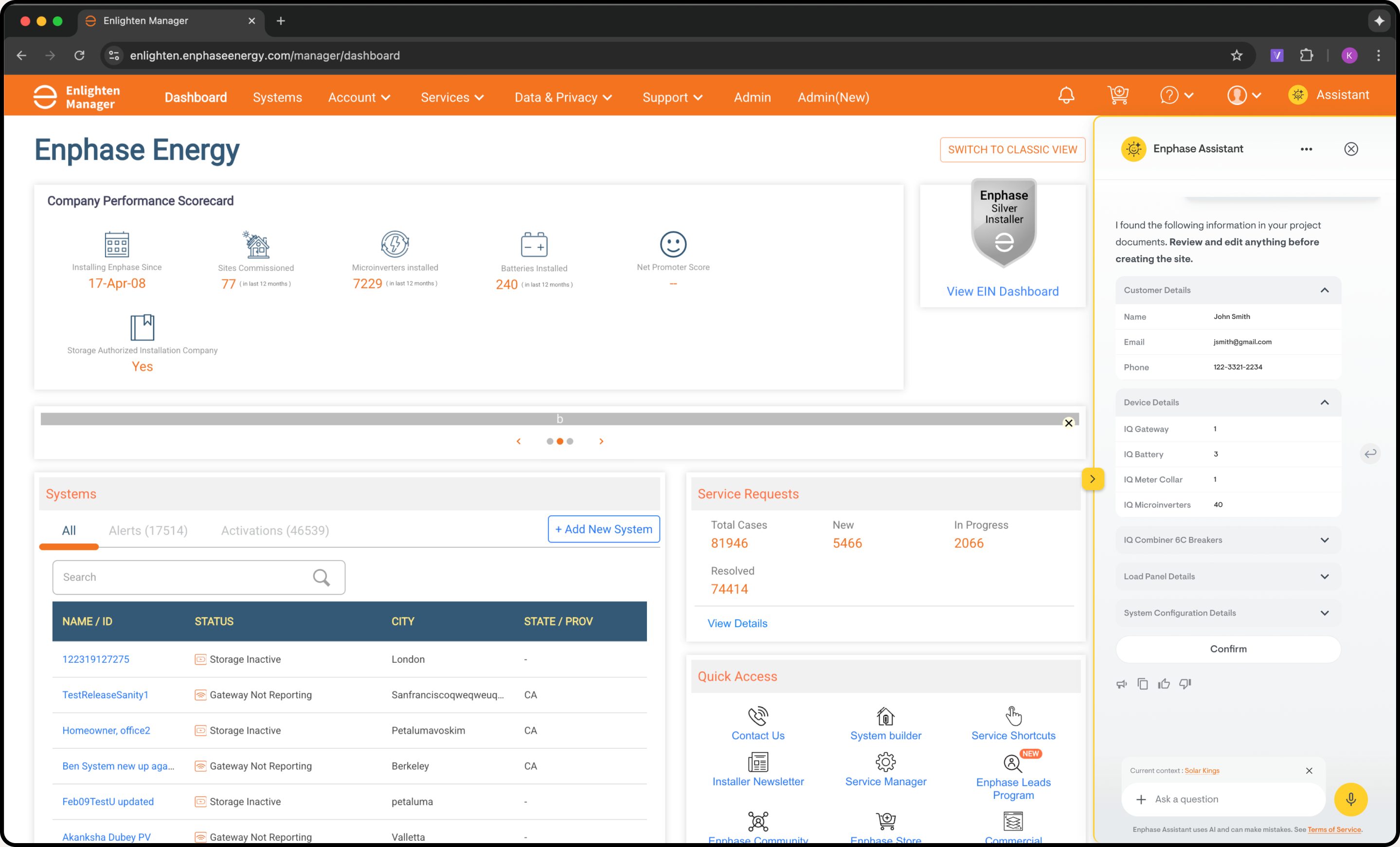
upload project docs, AI extracts device info and site details
Recognizes SLDs, proposals, system design docs · Pre-fills inventory with confidence scores · In-app access eliminates context switching
Re-entered
device counts typed manually despite existing design docs
Site design docs have exact device counts but system can't extract them · Every number re-entered by hand · Error-prone and duplicated across systems
Auto-Fill
AI extracts device types, counts, and config from uploaded files
Pre-populates site setup from existing documents · Installer only verifies, not re-enters · Eliminates redundant data entry entirely
Enlighten Manager is a legacy platform used by 100K+ solar professionals globally. Dense information hierarchy, entrenched workflows, and limited frontend flexibility mean we cannot disrupt existing usage patterns. AI assistance must be a separate layer and not embedded within core flows.
Installer Toolkit is used by 50K+ field technicians. Commissioning is a 6-step guided process that happens largely offline. Online preparation, then offline commissioning, then online sync. A persistent AI layer is not viable here. AI assistance must be embedded, offline capable, and non-blocking.
Installers wanted to set context and filters for every output
Added "restart conversation" and context-switch affordances. Users need to pivot without starting over.
Initial design was extremely conversational
Prioritized chip-based interactions over open text fields. Most installer queries fall into predictable categories.
Morning Brief was opened by 82% of test users on first login
Confirmed the AI Morning Brief as the default landing experience. Proactive summaries beat reactive dashboards.
Installers trusted AI for status checks within the first session
Progressive intelligence validated. Start with confirmations, earn trust, then expand to diagnostics.
Cross-product handoff was the highest-rated feature
Doubled down on the ENLM to Store to ITK context bridge. Made the transition seamless with pre-loaded device recommendations.
Installers wanted chat history and case references
Introduced Chat + Case History feature, bringing memory and continuity into the support experience, grounded in previous interactions.
The question still remained: is this product compatible?
Made compatibility validation a mandatory step in the Store AI flow. This saves returns, RMAs, and installer frustration.
Threaded conversations went unused. Installers preferred a single flowing chat and only referenced history when reviewing past cases.
Removed thread-based navigation entirely. Replaced it with a flat conversation view and a searchable history panel for revisiting older sessions.
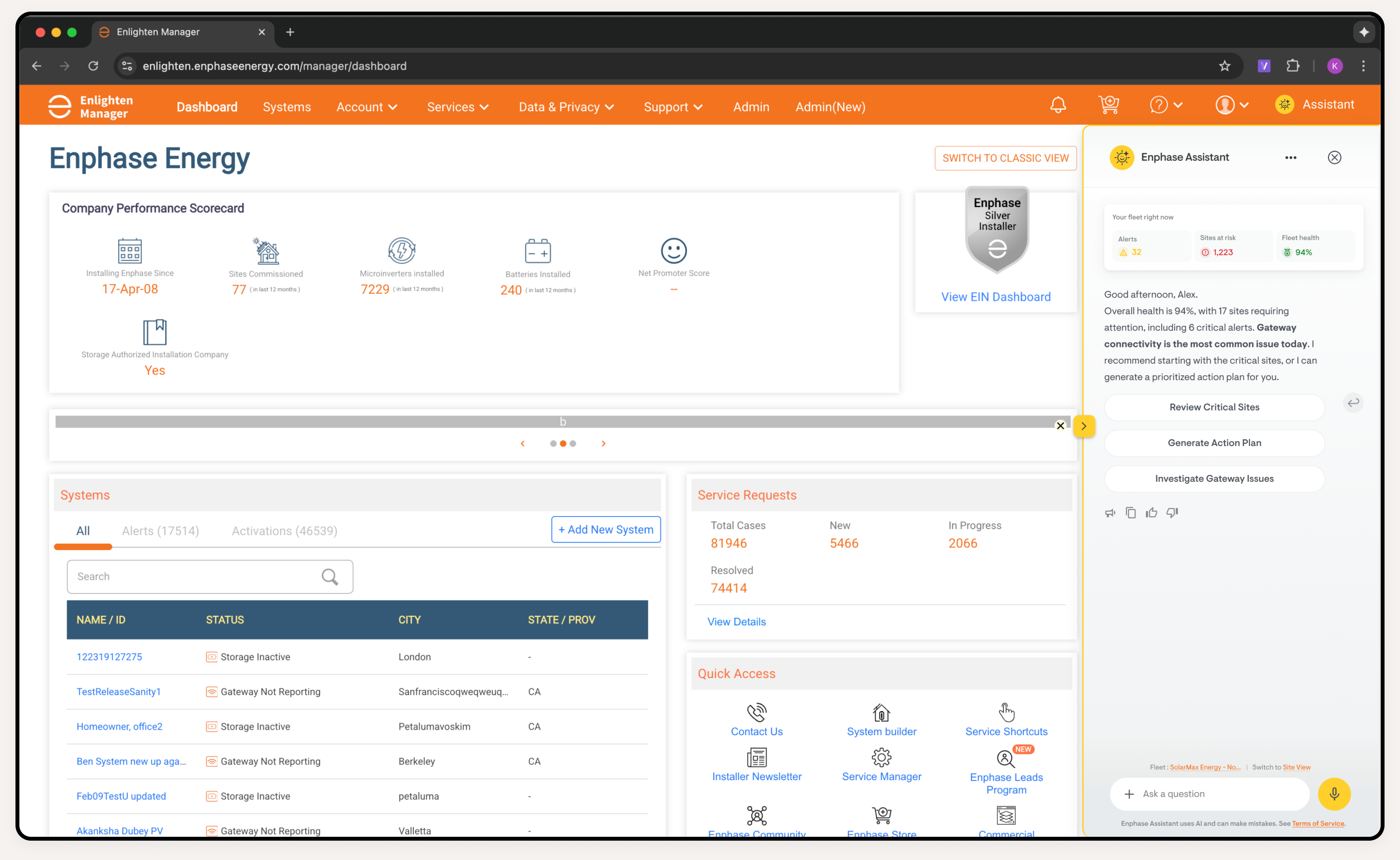
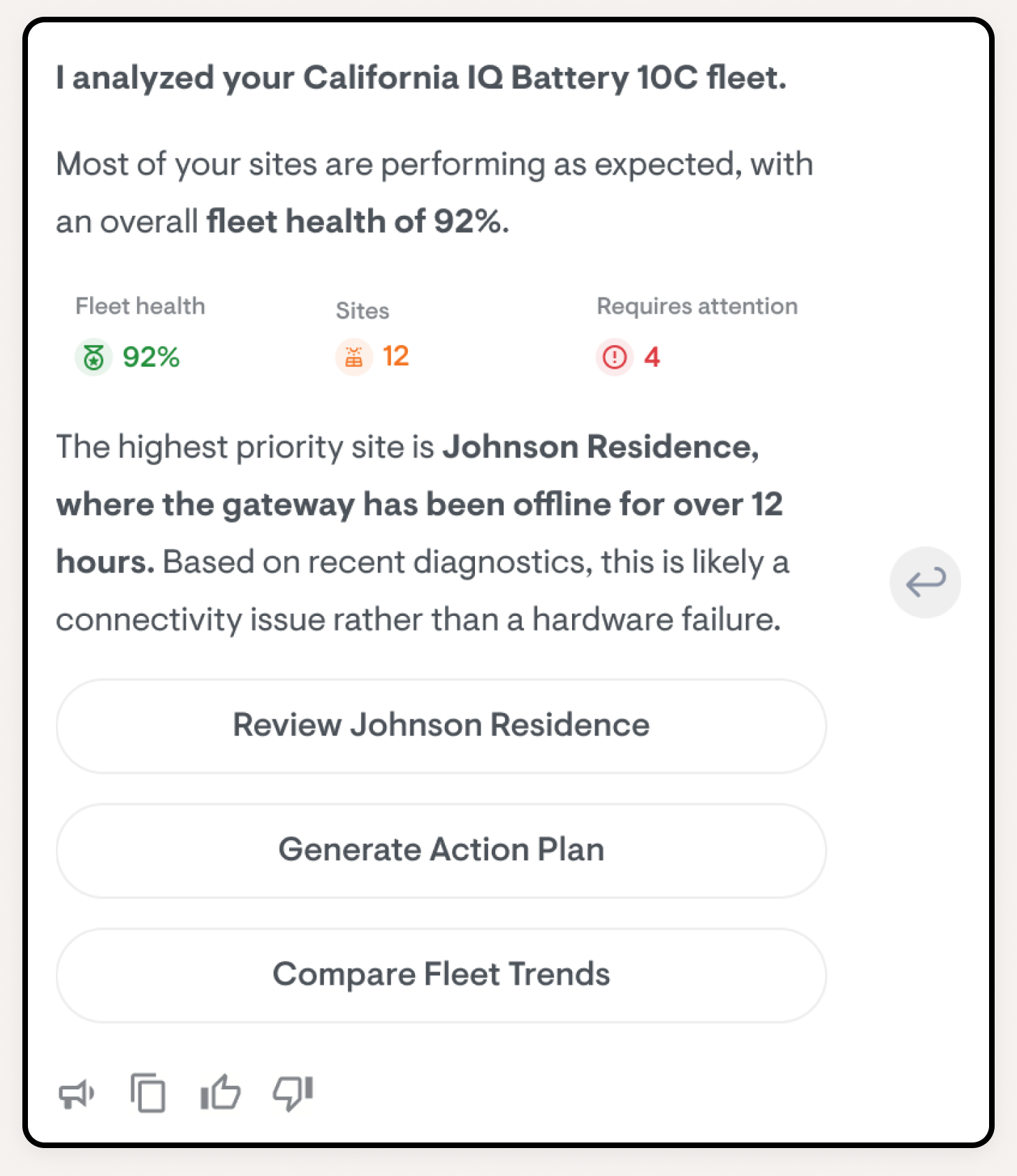
The moment Alex opens Enlighten Manager, the AI greets him with a prioritized summary. No more scanning dashboards. Our research showed 6.8% of all support calls are just installers asking "is my site OK?". AI eliminates that call entirely.
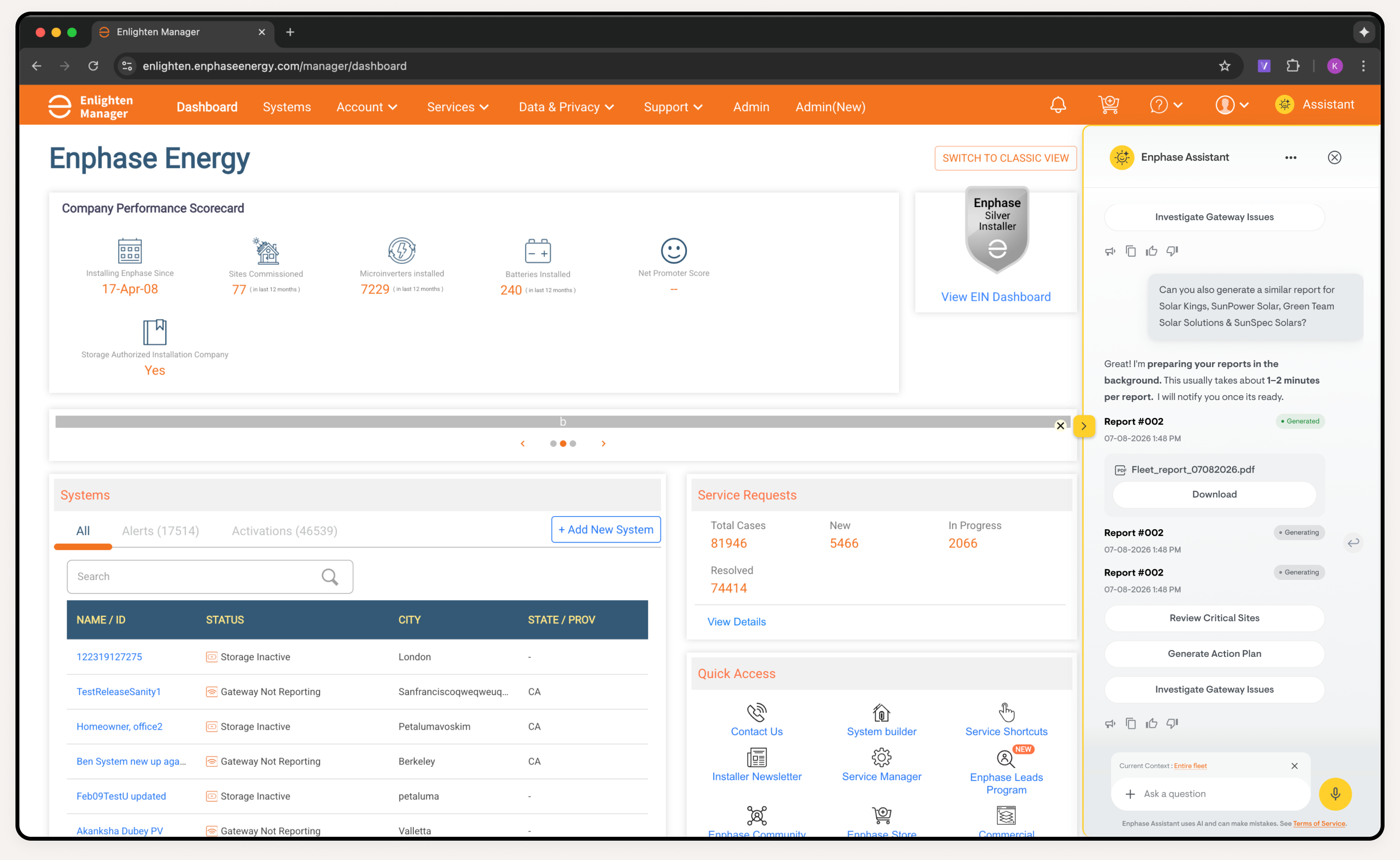
In Enlighten Manager, AI is analytical. It summarizes fleets, finds trends, prioritizes work, and generates reports.
Site status at a glance
AI Assistant chat
Context-aware conversation with installer history
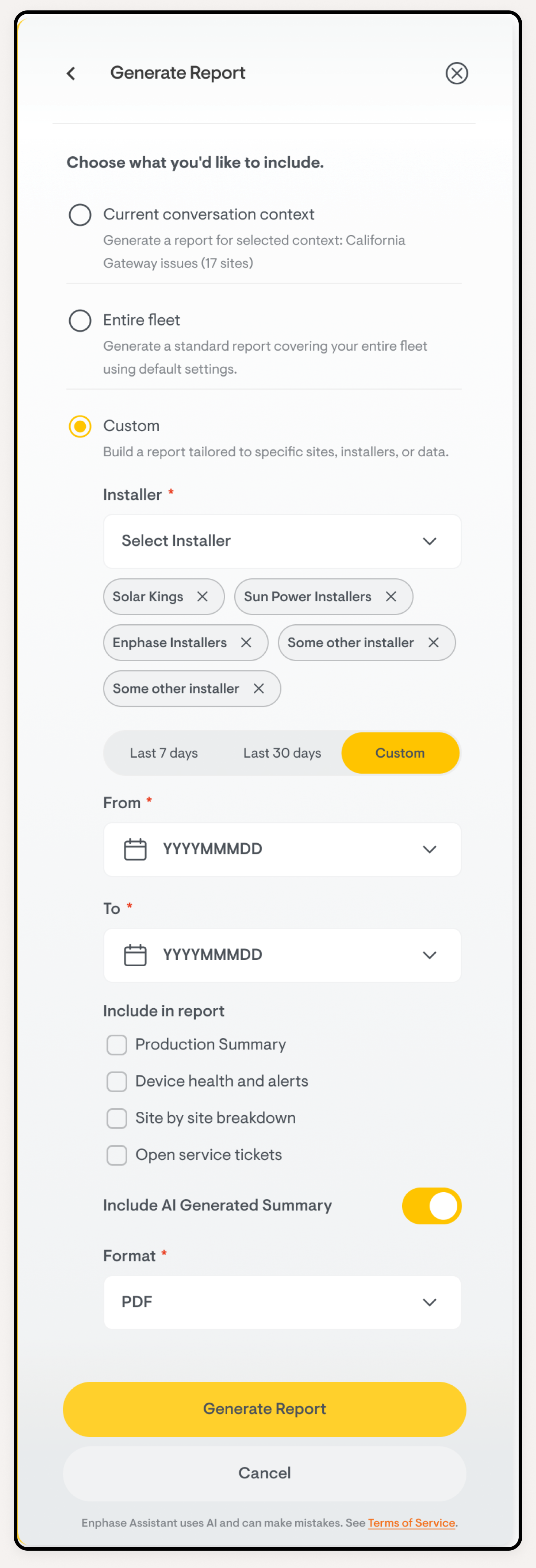
Quick and easy report download
AI-generated downloadable reports, all with natural language
From site to store, AI carries context across products.
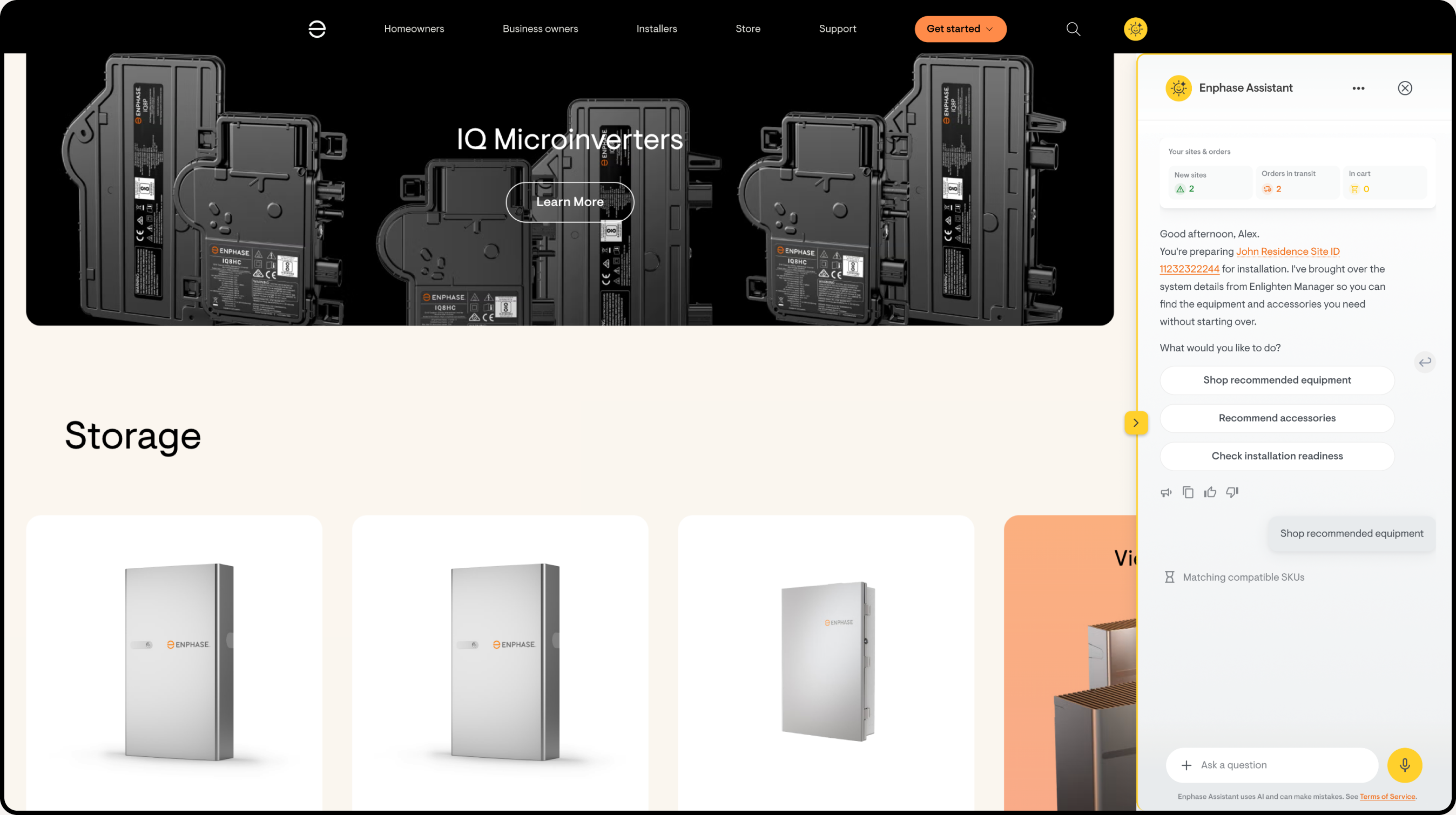
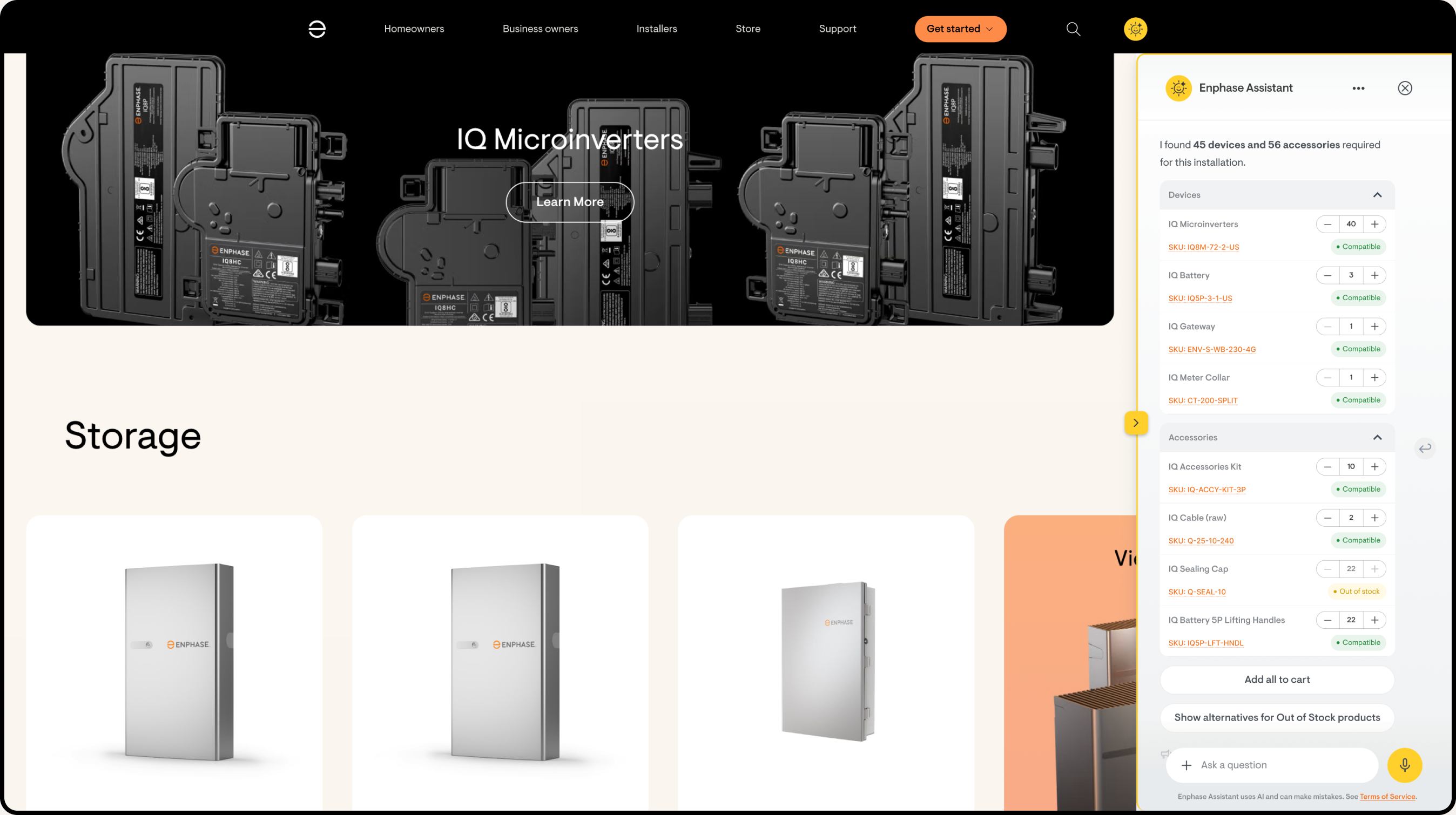
Today, the Store knows nothing about the installer's current job. Our research found that installers switch between 3+ apps for a single task, and every purchase starts from a blank search page. With AI, the Store receives full context from ENLM: the site, system size, installed devices, and what's missing. It recommends compatible hardware, flags mismatches, and builds a ready-to-order cart.
In Store, AI is a shopping assistant. It surfaces compatible products, creates bundles, checks inventory, and turns every site activation into a purchasing moment.
Commissioning happens offline. A chatbot won't work here. Our research found that 3.2% of all support calls come from installers stuck mid-installation with no guidance. AI is embedded directly into the workflow: a wiring analyzer that catches errors before the installer leaves the roof, and a bulk scanner that replaces 20 minutes of barcode entry with a single photo.
In Toolkit, AI is practical. It validates wiring, bulk-scans devices, pre-caches guidance for offline use, and prevents the support call before it happens.
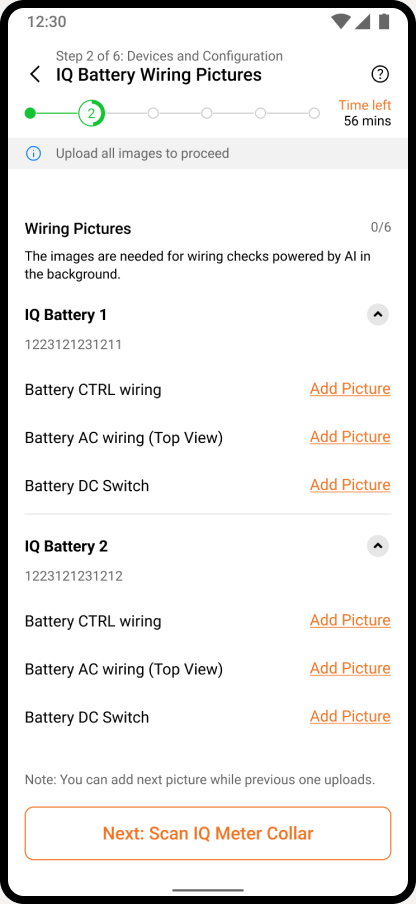
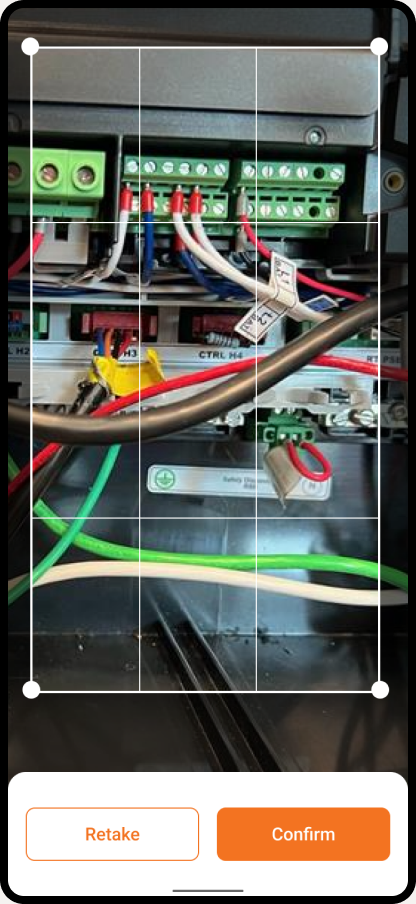
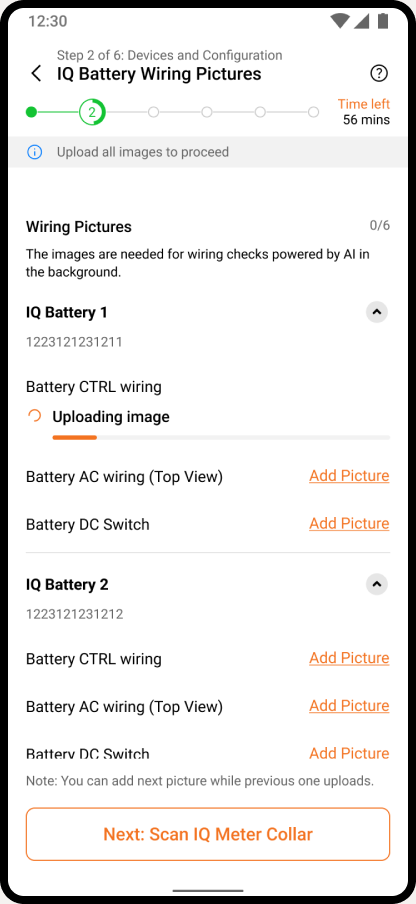
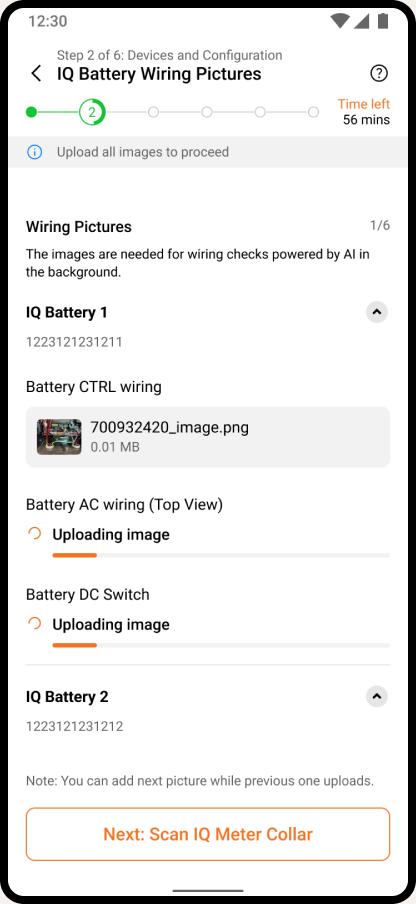
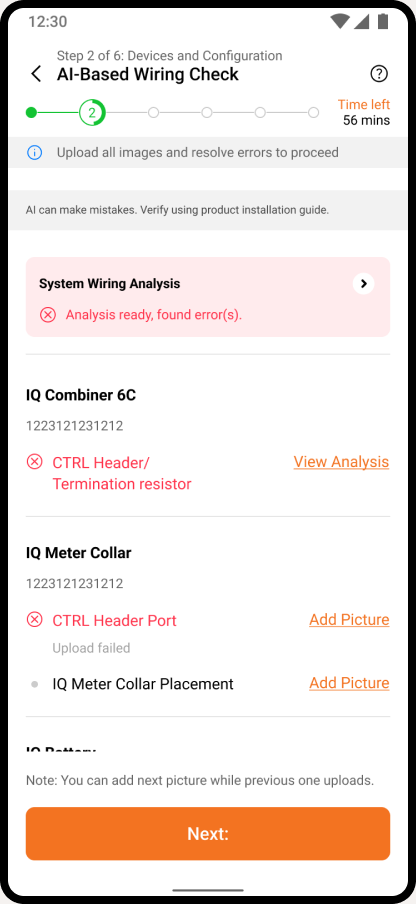
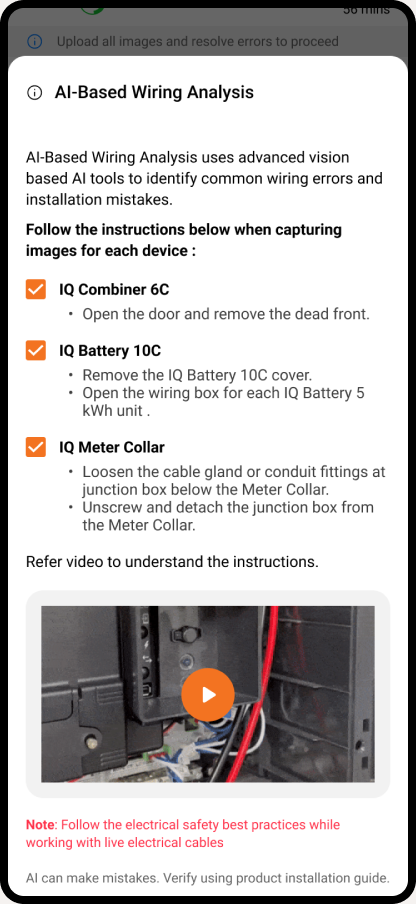
Installer photographs wiring connections on-site. Vision AI analyzes the image in real-time, checking for compliance issues, incorrect connections, and safety concerns. Returns pass/fail with specific error callouts and fix guidance. Eliminates 3.2% of support calls from installers stuck at this step.
List of wiring configurations
Capture image
Image uploading
Guided flow: upload all images or skip
Anchor screen to show AI analysis of wiring configurations
Step-by-step fix guide
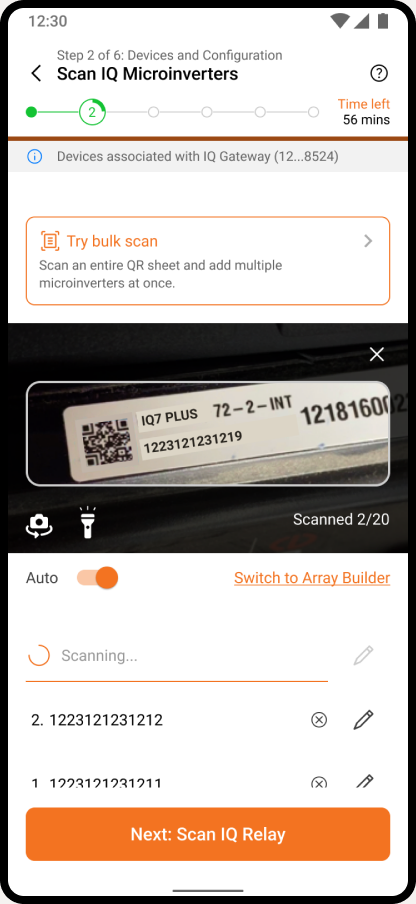
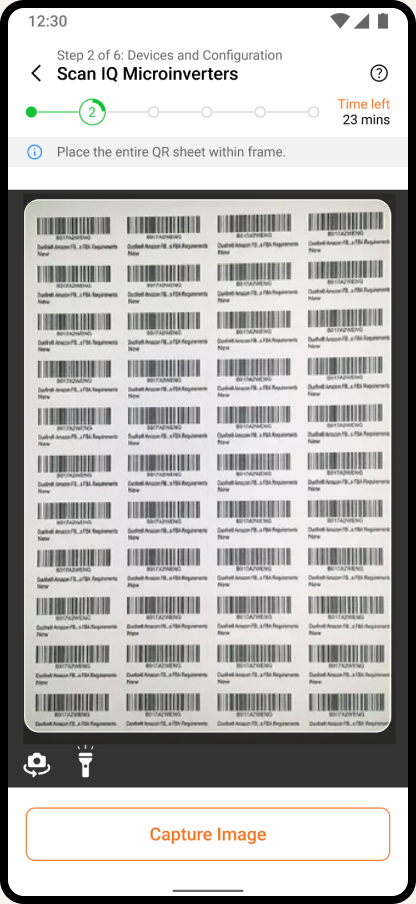
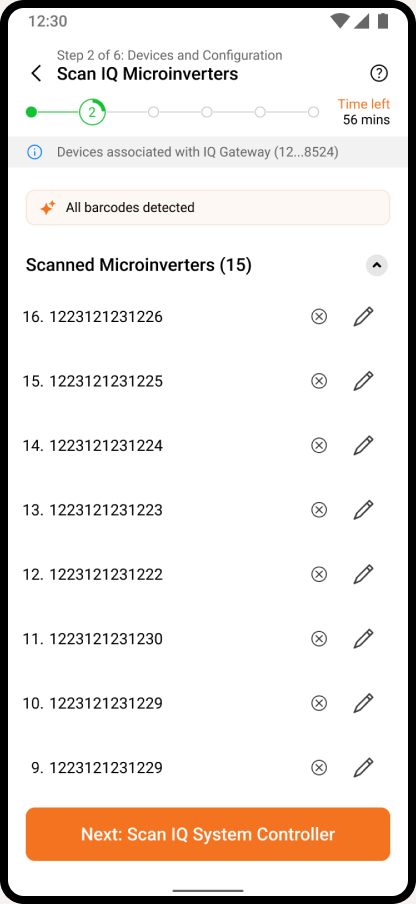
Camera captures the entire QR sheet in one shot. AI detects and registers all serial numbers simultaneously. Handles partial reads with targeted retry guidance. Works offline with sync-on-reconnect. Saves 15-20 minutes per job compared to scanning 24+ barcodes individually.
Single barcode scan
Bulk QR sheet capture
All devices registered
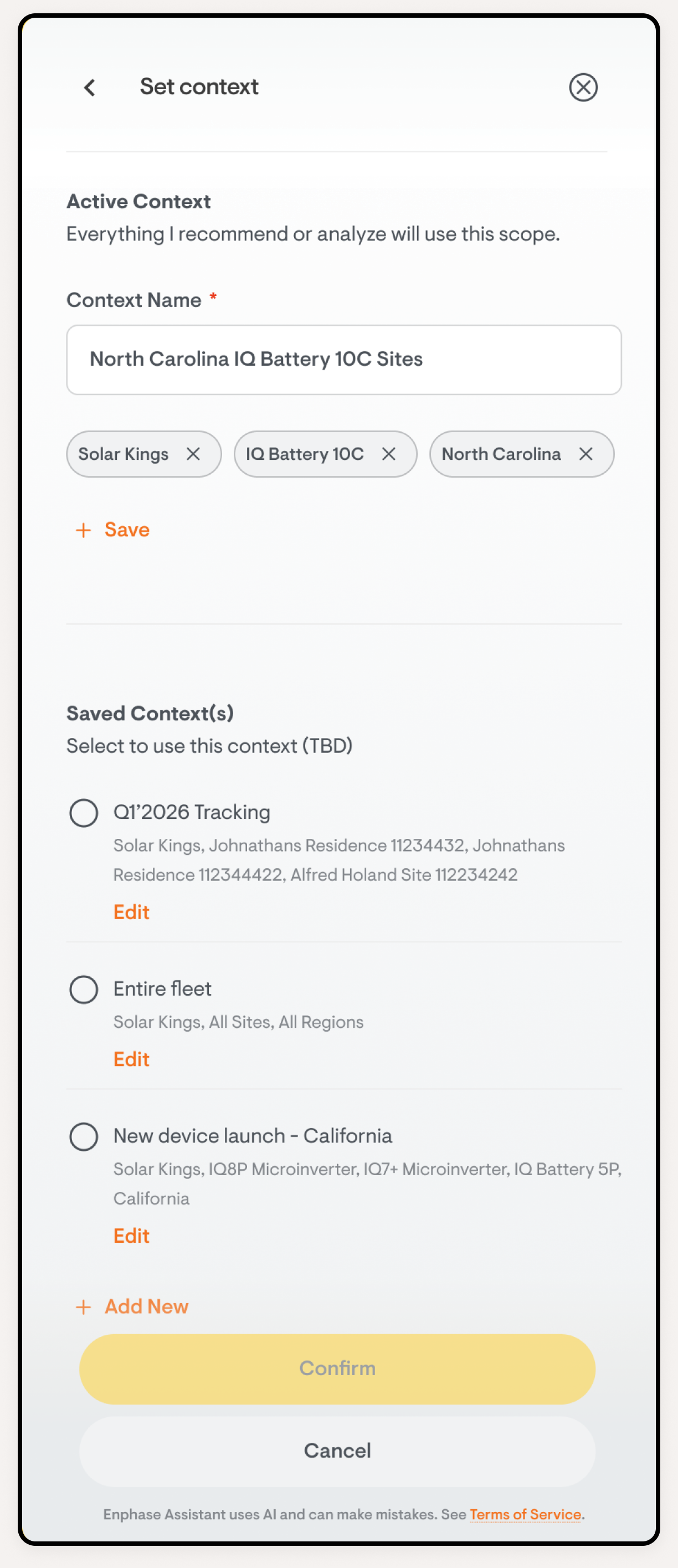
Contextual Memory
AI retains company, fleet, site, and device context across sessions. Instead of asking "Which site?", it already knows.
Saved Workspaces
Persistent scopes like "California Sites" or "Gateway Issues" become focused AI contexts that carry between sessions.
Smart Alerts
AI prioritizes alerts by severity and business impact. It surfaces what matters first and suggests next actions.
3 products
connected into one journey
~35%
faster site-to-installation journey, including site creation to commissioning devices
8,545
AI Wiring checks in ITK, 797 installations using AI wiring check, 103 true wiring errors caught by AI