Figma Plugin · Design Tooling
Dark Mode Generator
A Figma plugin that converts screens between light and dark mode in seconds
TypeFigma Plugin
RoleDesigner & Developer
CompanyEnphase Energy
Time Saved4 hrs/week → 30 sec total

A design system without tokens

Enphase's mobile design system had a comprehensive colour palette for both light and dark modes, with clearly defined mapping guidelines. However, the system didn't use design tokens or variables, making automatic light-to-dark conversion impossible natively in Figma.

Every time a screen needed a dark mode variant, designers had to manually swap every colour layer by layer. This was tedious, error-prone, and incredibly time-consuming.
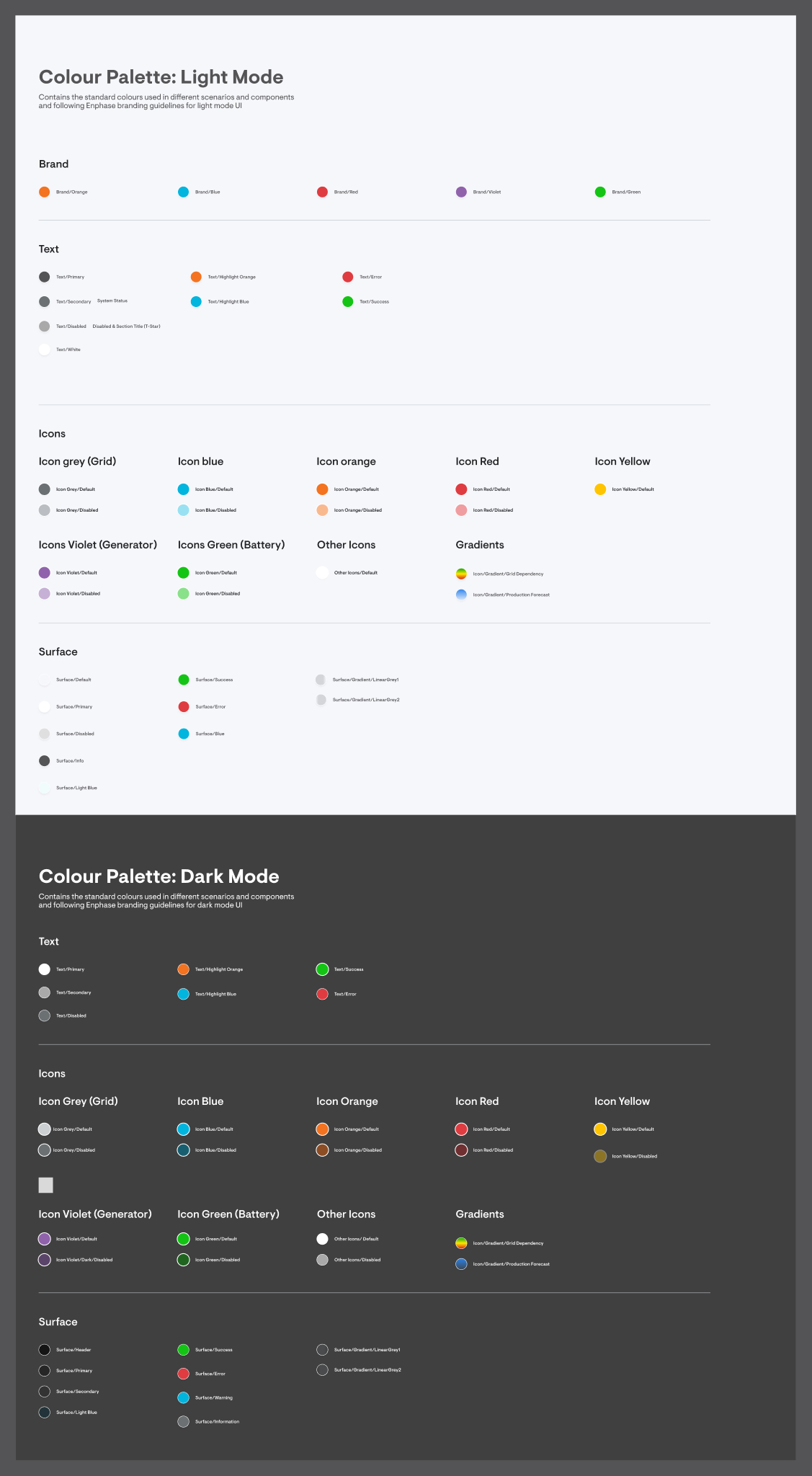
Design System · Colour Palette
Design system colour palette showing light and dark mode mappings

Manual dark mode conversion was bleeding hours

The design team spent an estimated 4 hours every week manually converting screens from light mode to dark mode. With no token system in place, every conversion meant hunting through layers and swapping colours one by one.

⏰
4 hours spent weekly
Designers manually converted screens layer by layer every single time a dark variant was needed.
🛠
No token system
The design system had colour guidelines but no variables or tokens, so Figma couldn't auto-switch between modes natively.
⚠️
Inconsistent output
Manual conversion led to missed layers, wrong shades, and inconsistencies between screens requiring extra QA cycles.
🔄
Repetitive busywork
Designers spent creative energy on mechanical colour swapping instead of solving actual design problems.
Key insight: The colour mapping rules already existed in the design system. They just weren't automated. A tool that could read these rules and apply them programmatically would eliminate the entire manual process.

A plugin that reads the rules and does the work

I built a Figma plugin that takes context from the design system's colour palette and applies them to any selected screen. The plugin detects the current mode of a screen and offers to convert it to the other mode, swapping every colour accurately in one click.

What used to take a designer 30+ minutes per screen now takes 30 seconds for the entire flow.
Before
✗Open screen, inspect every layer manually
✗Cross-reference colour palette for each swap
✗Change fills, strokes, text colours one by one
✗Double-check for missed layers
✗~30 minutes per screen
After
✓Select screen(s)
✓Plugin auto-detects current mode
✓One click to convert all colours
✓100% consistent with design system rules
✓~30 seconds total, no matter how many screens
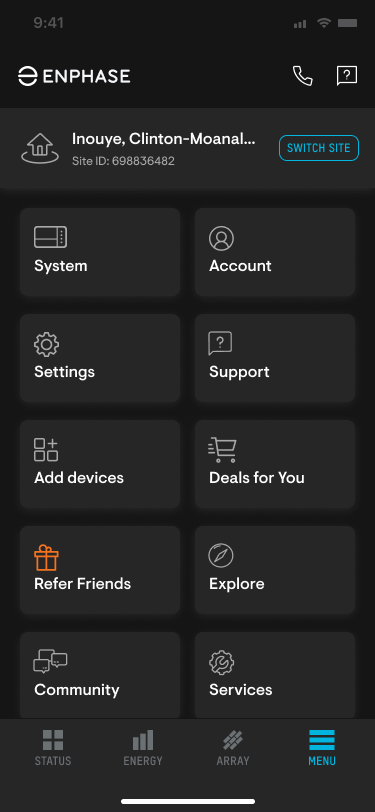
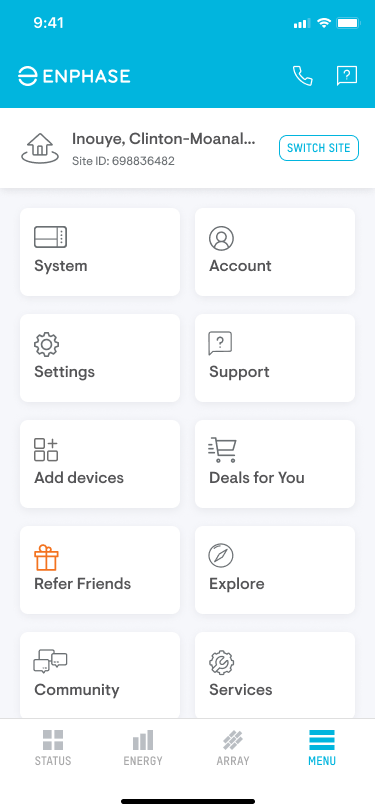
Light mode menu screen
Light Mode
Dark mode menu screen generated by plugin
Dark Mode (Generated)
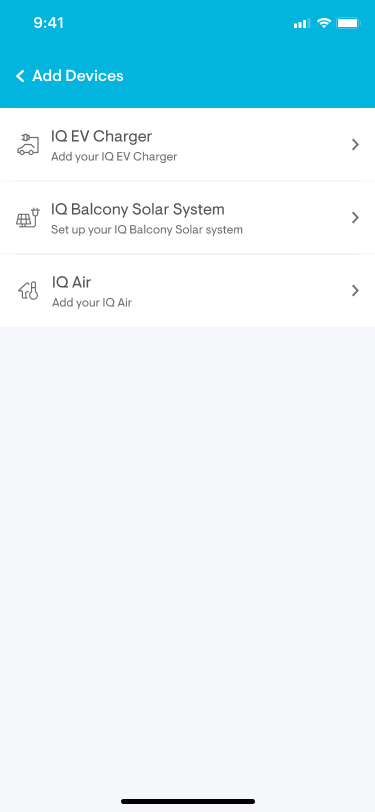
Light mode add devices screen
Light Mode
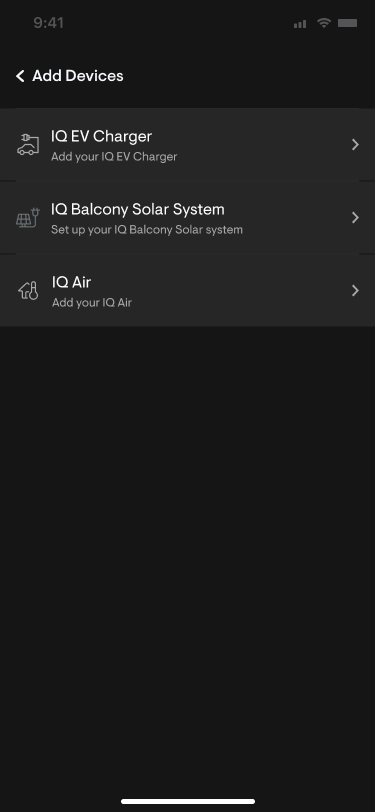
Dark mode add devices screen generated by plugin
Dark Mode (Generated)

The Theme Switcher plugin detects the current mode of selected frames and lets you convert them in one click.
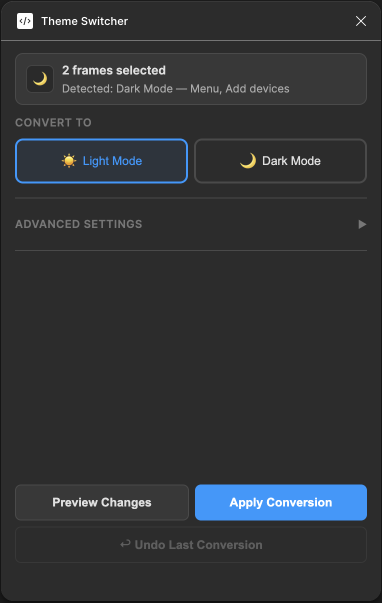
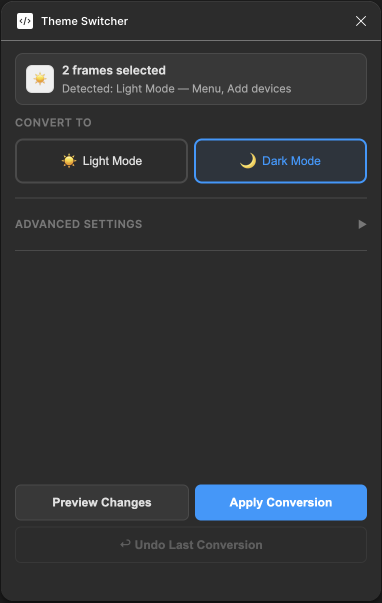
Plugin detecting dark mode frames
Detecting dark mode, suggests light mode conversion
Plugin detecting light mode frames
Detecting light mode, suggests dark mode conversion

Under the hood

The plugin follows a straightforward pipeline: read the design system's colour mapping, traverse the selected frames, detect the current mode, and swap every matching colour to its counterpart.

Step 01
Load Colour Map
The plugin reads the design system's colour palette, a defined set of light/dark colour pairs for backgrounds, text, icons, surfaces, and borders.
Step 02
Detect Current Mode
Analyses the selected frame's dominant colours to determine if it's currently in light or dark mode.
Step 03
Traverse & Match
Walks through every layer, fills, strokes, text colours, effects, and matches each colour against the mapping table.
Step 04
Swap & Done
Replaces every matched colour with its counterpart. The entire screen is converted in a single pass.
InputAny selected frame(s) in Figma
Colour SourceDesign system colour palette (light & dark mode mappings)
DetectionAuto-detects light or dark mode based on surface colours
ScopeFills, strokes, text, icons, gradients, surfaces
OutputConverted screen in the opposite mode
Speed~30 seconds total, regardless of number of screens

Numbers that speak

The Dark Mode Generator didn't just save time. It changed how the team thought about design tooling. By automating a painful bottleneck, it proved that even without a token system, smart tooling can bridge the gap.
4 hrs
Saved per week
Manual dark mode handoff time eliminated entirely from the design workflow
30s
Total conversion time
Converts an entire flow in 30 seconds, no matter how many screens are selected
100%
Consistency
Every conversion follows the design system's colour rules, zero missed layers
Key takeaway: Not every design system has a token layer, and that's okay. Instead of waiting for a full token migration, a targeted plugin can solve the immediate pain. The best tool is the one that meets the team where they are.
Figma Plugin · Developer Handoff
Spec & Redline Generator
Auto-generate spacing specs, layout redlines, and colour annotations for any Figma frame
TypeFigma Plugin
RoleDesigner & Developer
CompanyEnphase Energy
Time Saved45 min → 1 min per screen

Design QA and dev handoff were painfully slow

For every new project or UI screen, designers spent ~45 minutes manually annotating spacing, padding, border radii, font sizes, and colour values before handing off to developers. This created a bottleneck, especially with new features shipping frequently.

Before
✗Manually measure every spacing value
✗Annotate padding, margins, border radii
✗Extract and label colour values by hand
✗Document auto-layout properties
✗~45 minutes per screen
After
✓Select frame(s), run plugin
✓All specs auto-generated in one pass
✓Consistent annotation style every time
✓Developer-ready output immediately
✓~1 minute per screen

One click to annotate everything

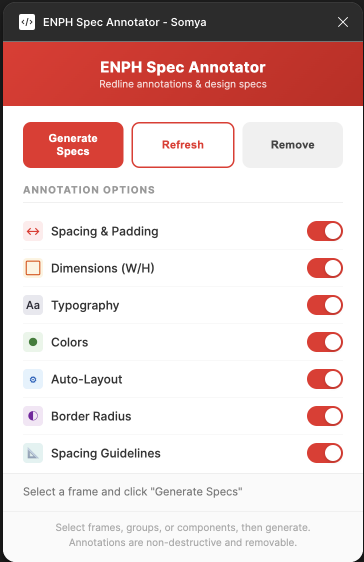
I built a Figma plugin that analyses any selected frame and generates a full spec sheet. Spacing redlines, colour swatches, border radii, auto-layout properties, and typography details, all placed cleanly alongside the original design.

Plugin interface
Plugin Preview
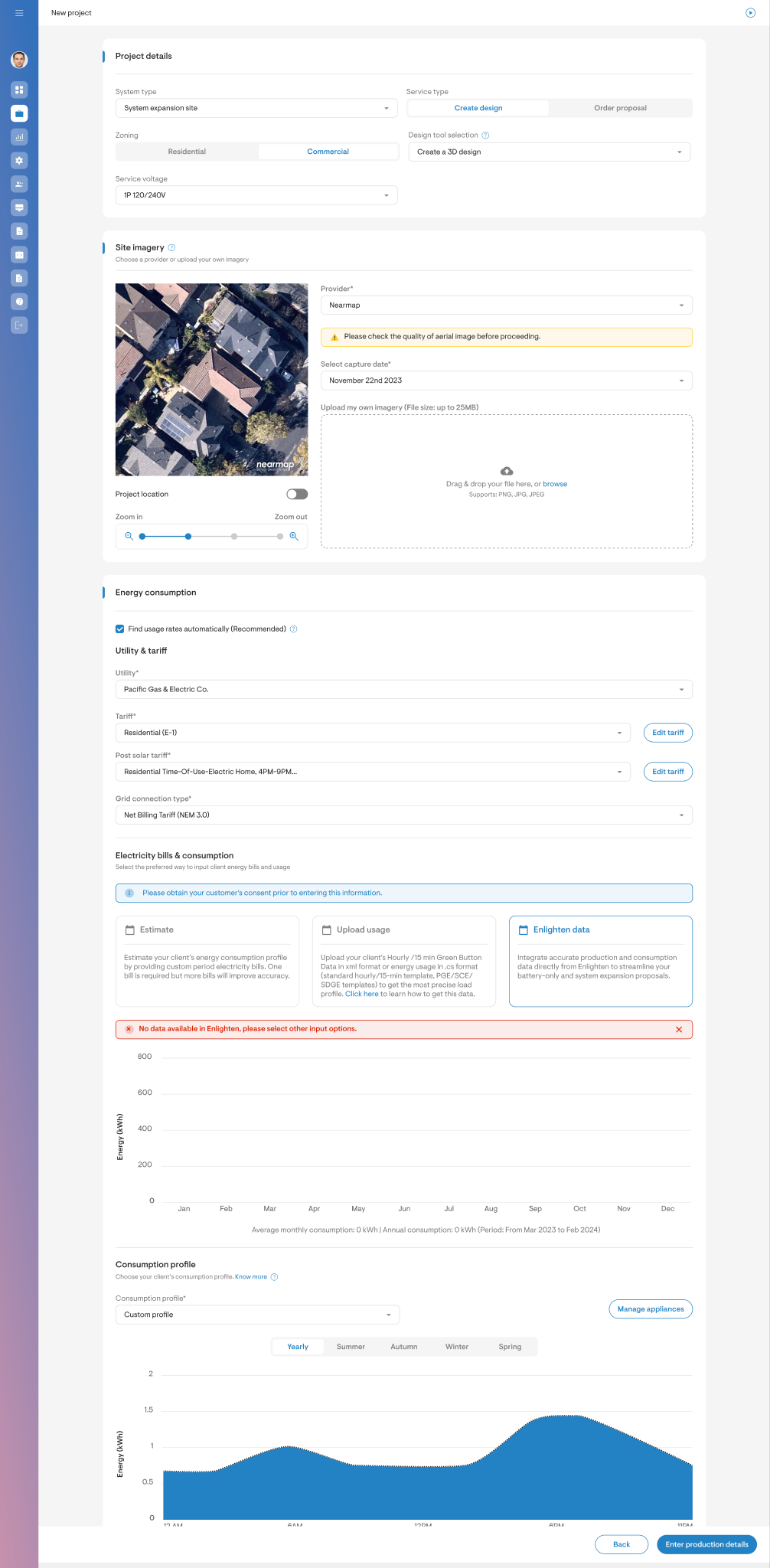
Original screen before annotation
Original Screen
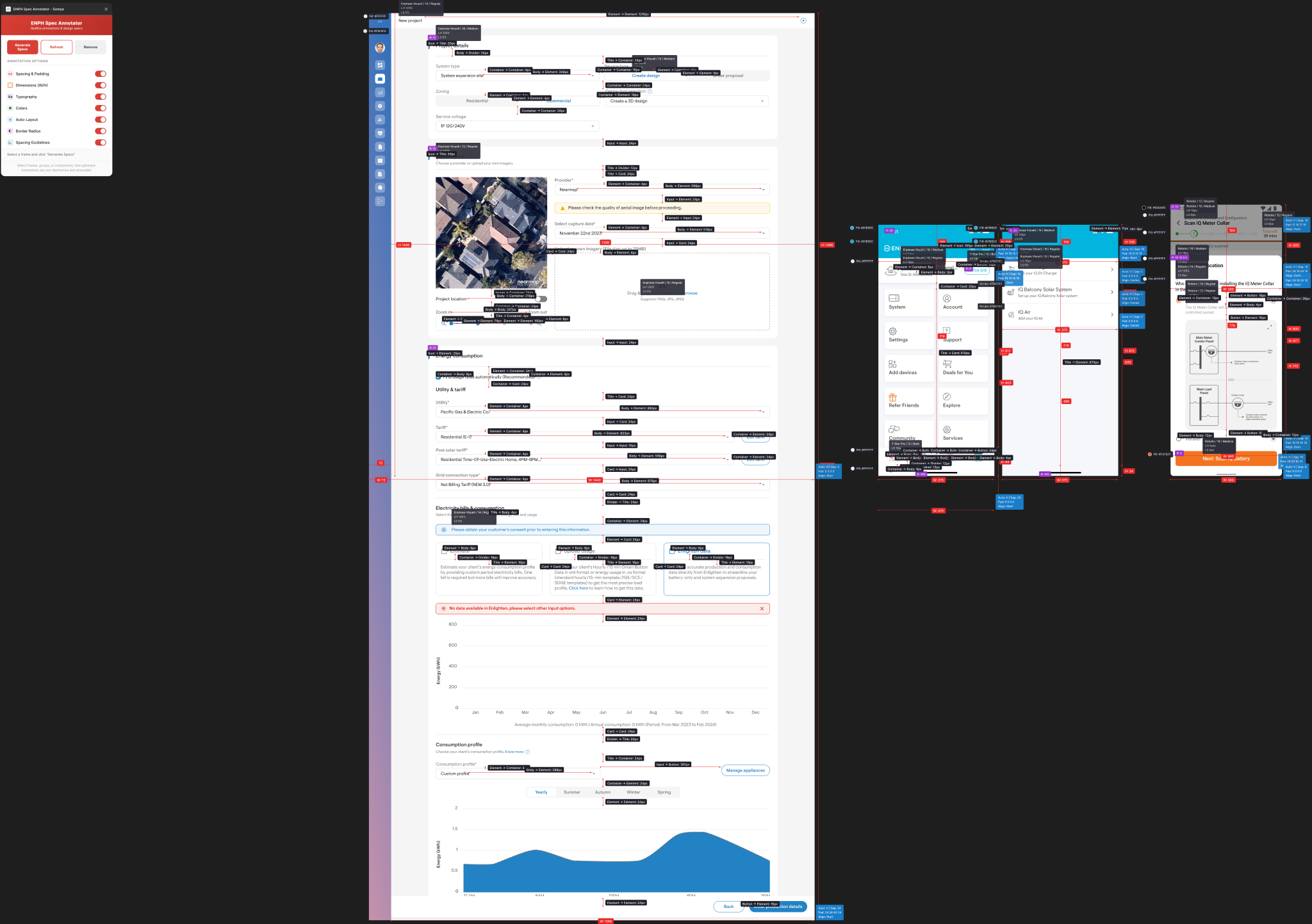
Generated Spec Sheet · Annotated Output
Full annotated spec sheet with redlines, spacing, colours, and auto-layout properties

Select, run, done

Step 01
Select Frame
Pick any frame or component in Figma. The plugin reads its full layer tree, nested components, auto-layouts, and all.
Step 02
Analyse & Extract
The plugin extracts spacing between elements, padding, border radii, fill colours, stroke colours, font properties, and auto-layout configurations.
Step 03
Generate Annotations
Redline arrows, colour swatches, radius badges, and auto-layout info boxes are placed alongside the design, ready for developer review.
What gets annotated: Spacing between elements (horizontal & vertical), padding, border radii, fill & stroke colours with hex values, auto-layout direction, gap, padding, and alignment.

Faster handoff, fewer back-and-forths

45x
Faster
From 45 minutes of manual annotation down to 1 minute per screen
0
Missed specs
Every spacing, colour, and radius value captured automatically
1-click
Dev-ready output
Developers get a complete, consistent spec sheet without back-and-forth